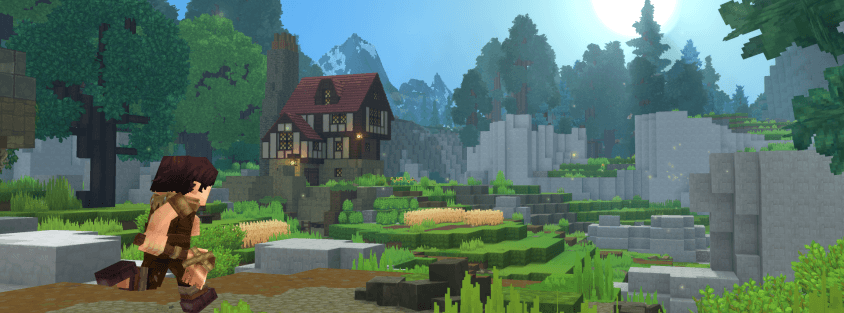
Hosting a growing Hytale server isn't free — RAM, backups, and DDoS protection add up fast once you're past a handful of friends. The good news is that Hytale shipped with one of the most server-owner-friendly monetization policies in gaming: 0% revenue share through January 2028, no forced storefront, and a clear rulebook instead of guesswork. This guide covers how to monetize a Hytale server the right way — what's actually allowed, what isn't, and how to set up a store that funds your server without wrecking the community you built it for.
What Hytale's Server Policies Actually Allow
Before you sell anything, read Hytale's official Server Operator Policies — most "monetization guide" posts skip this and just tell you to sell cosmetics, but the rules are short, specific, and worth knowing exactly:
- Permitted: cosmetic items (skins, pets, particle effects), subscription-style supporter ranks, server-specific non-gameplay-affecting content, and plain donations.
- Banned everywhere: pay-to-win mechanics of any kind, sexual content, NFTs, speculative crypto tokens and play-to-earn schemes, and real-money gambling. Accepting crypto as a payment method for an otherwise-permitted purchase is fine — selling blockchain assets is not.
- Disclosure requirements: pricing must be truthful with no hidden fees, and your refund policy and purchase terms need to be visible before checkout, not buried in a Discord FAQ.
The revenue share itself is 0% for every server through January 13, 2028, meaning every dollar a player spends on your store goes to you. After that date, Hytale has committed the rate will never exceed 20%, scaled to the level of platform services you use. There's no better time to build a monetization habit with your community than while that 0% window is open.
Why "No Pay-to-Win" Is a Feature, Not a Limit
It's tempting to see the P2W ban as a ceiling on revenue, but it's the opposite in practice: servers that sell power lose trust and players fast, while servers that sell status keep both. A player who buys a cosmetic cape is advertising your server to everyone who sees it in-game; a player who buys a stat boost just makes free players feel worse about staying. Cosmetic-only monetization is also what keeps your server eligible for listing on Hytale Top Servers and similar community lists in good standing — pay-to-win servers get flagged and lose the discovery traffic that brings in new buyers in the first place.
What to Actually Sell
- Cosmetic ranks. A colored name, a chat prefix, a cosmetic-only kit — the single most common and safest seller, because it's pure status with zero gameplay impact.
- Character cosmetics. Skins, capes, pets, and particle/trail effects. These are the highest-perceived-value items because they're visible to every other player, all the time.
- Supporter subscriptions. A monthly tier (Discord role, cosmetic bundle, early access to build areas or events) gives you recurring revenue instead of one-off purchases — far more predictable for budgeting hosting costs month to month.
- Server-specific non-gameplay content. Custom cosmetic-only mod content, exclusive build plots, or vanity-only world features built for your server specifically.
- Plain donations. Some players will simply support a server they like with no reward attached — always leave that option available alongside your store.
Pricing Your Store
The most common new-owner mistake is pricing for a community you don't have yet. A $3 cosmetic that 20 players buy earns more than a $15 one that 2 players buy, and it also normalizes purchasing across your whole player base instead of making buying feel like a whale-only activity. Start with 5–10 well-made options rather than 50 mediocre ones — an overstuffed store makes every individual item look cheaper and makes the good ones harder to find. Add more once you can see what's actually selling.
Setting Up the Store
You don't need to build checkout infrastructure yourself. Platforms built for game-server monetization handle payments, delivery, and chargebacks:
- Tebex has confirmed Hytale support from day one of Early Access and is the largest platform in the space by transaction volume — a safe default if you want the most documentation and widest payment method support.
- Tip4Serv and similar lighter-weight tools focus on fast setup with minimal configuration, a reasonable choice for a smaller server that just wants a store live this week.
Whichever you pick, confirm it delivers purchases automatically in-game rather than requiring manual fulfillment — manual delivery doesn't scale past a dozen sales and creates the exact kind of "where's my purchase" support tickets that burn out volunteer staff.
Keep the Store Honest
- Publish your refund policy somewhere linked from the store itself, not just in Discord.
- List exactly what a purchase includes — no vague "VIP perks," spell out every benefit.
- Never gate core gameplay behind a purchase — cosmetic-only keeps you compliant and keeps free players from feeling like second-class citizens.
- Revisit pricing quarterly as your player base grows; what's right for 20 concurrent players is underpriced for 200.
The Bottom Line
Monetizing a Hytale server in 2026 is straightforward if you stay cosmetic-only: sell ranks, skins, and subscriptions, skip anything that touches gameplay balance or the explicit ban list, and take advantage of the 0% revenue share while it lasts through January 2028. Get the policy right first — everything else is just good store design.
A store only works if you have players to sell to. If you haven't set up hosting yet, start with our complete server setup guide, then list your server on Hytale Top Servers for free to start building the community your store depends on.