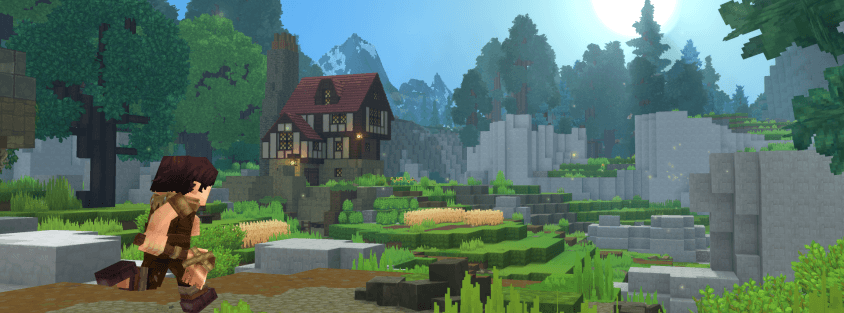
Multiplayer has been part of Hytale since day one of Early Access, and six months in, the community server scene is one of the most active parts of the game. If you've been playing on someone else's server and thinking "I could build something better," this guide walks through exactly what it takes to launch your own — from picking hosting to getting your first real players.
Why Run Your Own Hytale Server?
Community servers are where most of the interesting stuff in Hytale is actually happening right now — custom economies, SkyBlock variants, PvP arenas, roleplay factions built around the Cursebreaker story arc. None of that exists on a default world. If you have an idea for a game mode, a community you want to build, or you're just tired of joining servers that don't run the way you'd want, hosting your own is the only way to make it real.
It's also more approachable than it sounds. You don't need to be a systems administrator — you need a plan, some patience for the first few weeks of setup, and a way to get your server in front of players once it's live.
Step 1: Choose Your Hosting
Your hosting decision affects everything downstream — how many players you can support, how much lag your world will have, and how much you'll pay monthly. There are three common routes:
Dedicated Hytale Server Hosts
As the game has grown, a handful of hosting providers now offer purpose-built Hytale server plans — one-click setup, automatic backups, and support that actually understands the game's requirements. This is the easiest path if you want to focus on building your community instead of managing infrastructure.
General VPS Providers
If you're comfortable with a bit of server administration, a VPS gives you full control and is often cheaper per player slot. Look for providers with good uptime guarantees and servers located near your target player base — latency matters a lot in Hytale's combat.
Self-Hosting
Running the server from your own hardware works for testing with friends, but isn't realistic for a public server — you need consistent uptime, and most home internet connections aren't built for it. Save this route for prototyping before you go public.
What to prioritize: RAM headroom (world simulation and player entities are the biggest resource consumers), SSD storage for fast world loading, and a server location close to your expected player base. For a full breakdown of specs by player count, real market pricing, and how to vet a provider, see our Hytale server hosting guide.
Step 2: Plan Your Server's Identity Before You Configure Anything
The biggest mistake new server owners make is jumping straight into configuration without deciding what the server actually is. Before you touch a settings file, answer these:
- What's the core game mode? Survival, SkyBlock, PvP arenas, creative building, or roleplay — pick one to lead with. Servers that try to be everything at once tend to feel unfocused.
- Who is it for? Casual players, competitive players, a specific existing community migrating from another game — your rules and moderation style should match.
- What makes it different? With hundreds of servers already listed, "vanilla survival with no changes" is a hard sell. A custom economy, unique worldgen using the Fragment of Orbis tooling, or a genuinely well-written roleplay lore document will set you apart.
Step 3: Configure Your World and Rules
Once hosting is live, the setup work splits into a few concrete tasks:
- World generation: Decide whether to run default worldgen or customize it with the in-game worldgen editor. A distinct world is one of the easiest ways to stand out. Get comfortable with the core admin commands first — you'll be flying around in creative mode and setting warps constantly while you build.
- Claim and protection systems: Griefing kills new servers fast. Set up land claims or protection plugins before you open to the public, not after your first incident.
- Mods: Server-side mods are what turn a default world into a custom experience — RPG progression, generated dungeons, quality-of-life overhauls — and players get the content automatically when they join. See our guide to installing Hytale mods for the server-side workflow.
- Server rules: Write them down, post them somewhere visible (your Discord, your server listing), and enforce them consistently. Vague or unenforced rules are the number one complaint players have about small servers.
- Backups: Automate daily backups from day one. A single corrupted world file with no backup can end a server's community overnight — our backup and migration guide covers exactly where Hytale stores world data and how to back it up correctly.
Step 4: Set Up a Discord (Seriously, Don't Skip This)
A Discord server isn't optional infrastructure — it's where your community actually lives between play sessions. It's where you announce updates, handle support requests, run events, and build the sense of community that keeps players coming back instead of trying you once and leaving. Servers with an active, well-moderated Discord consistently retain players better than those without one. Our full Discord setup guide covers channel structure, roles, bots, and Hytale's own native Discord integration in detail.
Step 5: Get Your Server Listed and Discovered
This is the step most new server owners underestimate. You can build the best server in the game, but if nobody knows it exists, it will stay empty. Getting discovered is a separate job from building the server itself.
The most effective channel for organic discovery is a dedicated server list. Listing your server on Hytale Top Servers takes a few minutes and gets you:
- A live status badge — our pinger checks your server continuously, so players see real-time online status and player count before they connect.
- Vote-based ranking — players vote every 12 hours for servers they enjoy, and vote count drives visibility. New servers that engage their community early can climb the rankings quickly.
- A dedicated server page — with your banner, tags, description, and analytics showing player count trends over time, so prospective players can see your server is actually growing before they commit.
- Free discovery traffic — players actively browsing the Hytale Top Servers server list by tag (Survival, PvP, SkyBlock, Creative, Roleplay) are already looking for a server like yours.
Beyond a server list, cross-post your launch in relevant Hytale community Discords and subreddits, and ask early players to vote and invite friends — momentum in the first few weeks matters more than almost anything else for a new server.
Step 6: Keep Shipping Updates
The servers that retain players are the ones that keep evolving — new areas, seasonal events, economy tweaks, community-requested features. A server that goes quiet for 60 days starts losing players to ones that don't. You don't need a huge team; even a small, regular changelog signals to your community that the server is alive and worth staying invested in.
The Bottom Line
Starting a Hytale server is genuinely achievable right now — the tooling is there, hosting options are maturing, and the player base is actively looking for good communities to join. The technical setup is the easy half. Getting discovered and retaining players is where most new servers actually succeed or fail.
List your server on Hytale Top Servers today to get a live status badge, vote-based ranking, and a dedicated page with analytics — free, and live in minutes. Already running one? Make sure it's listed, then get your community voting.