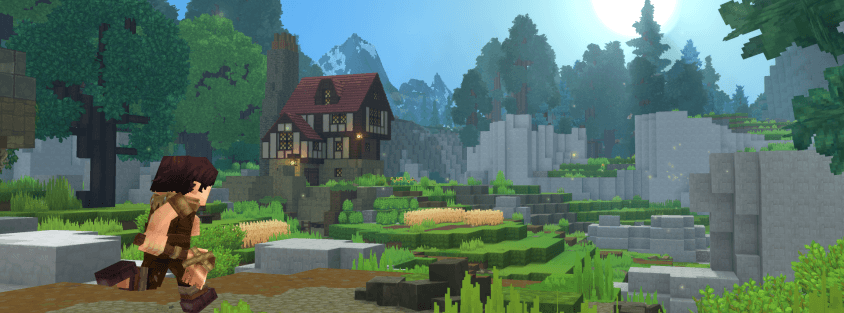
Modding is where Hytale is most alive right now — the community passed 20 million mod downloads in the first quarter of Early Access alone. But most guides only tell you how to install Hytale mods on your own client and stop there, which is half the story. This guide covers both halves: adding mods to your singleplayer worlds, and installing them on a server so your whole community plays with them.
How Hytale Modding Works in 2026
Two things make Hytale modding different from what you might be used to in other games:
- CurseForge is the official hub. Hypixel Studios partnered with CurseForge for mod distribution, so discovery, downloads, and updates run through the CurseForge app or website rather than scattered forum threads. Stick to it — it's also the safest source.
- Mods are largely server-driven. When you join a modded server, the content you need is delivered to your client automatically. As a player, you don't have to pre-install anything to play on a modded server — which is why the server-side section of this guide matters so much for owners.
The tooling keeps expanding, too: Update 5 added the Trigger Volume Tool for scripting encounters without code, and a node-based visual scripting system is on the roadmap. Modding is only getting more accessible from here.
How to Install Hytale Mods with CurseForge (Easiest Way)
For singleplayer and testing, the CurseForge app is the fastest route:
- Install or update the CurseForge app — the desktop launcher auto-detects your Hytale installation.
- Select Hytale inside the app to open the mod browser.
- Browse or search for a mod under the Discover tab.
- Click Install — the app places the files in the right folder for you.
Check the mod page's supported game version before installing. Hytale updates frequently in Early Access, and a version mismatch is the number one cause of mods silently failing to load.
Enabling Mods on a World
Installing a mod doesn't automatically apply it everywhere — mods are enabled per world:
- From the world selection screen, open the settings of the world you want to modify.
- Find the Mods section — your installed mods appear here if installation succeeded.
- Tick the mods you want active and save the world settings.
This per-world toggle is handy: you can keep a vanilla survival world and a heavily modded test world side by side without conflicts.
Installing Hytale Mods Manually
If you download a mod file directly from CurseForge instead of using the app:
- Download the mod file — usually a .jar, sometimes a .zip.
- If it's a .zip, extract it to get the mod folder or file inside. If it's a .jar, leave it alone — don't unzip it.
- Drop it into your Hytale mods folder, then restart the game and enable it in your world settings as above.
Manual installs are worth knowing for pre-release builds and mod-jam entries that haven't hit the main listing yet, but for everything else the app is less error-prone.
How to Install Mods on a Hytale Server
This is the part most guides skip. If you run a server, mods are installed server-side and your players receive the content automatically when they connect — no client setup instructions to write, no "install these 12 mods first" onboarding wall. The process:
- Stop the server. Adding mods to a running server risks world corruption.
- Upload the mod files to your server's mods folder — via your host's file manager or SFTP. Most dedicated Hytale hosts also offer one-click mod installs from their control panel.
- Match versions exactly. The mod version must support your server's game version, and every player-facing mod should be checked after each Hytale update — Early Access patches break mods regularly.
- Restart and verify. Join the server yourself and confirm the modded content loads before announcing it to players.
Back up your world before installing or updating any mod that changes worldgen or items — a mod removed later can leave broken content in the world it generated. If you're still at the setup stage, our complete Hytale server setup guide covers hosting choices and configuration first.
Running modded is also a discoverability advantage: players actively filter for servers with RPG progression, custom dungeons, and unique content. List your modded server on Hytale Top Servers and use your description to spotlight the mods that make it different.
Good First Mods to Try
If you want a starting lineup, these are among the most-downloaded mods on CurseForge right now:
- BetterMap — overhauls the world map with better zoom and custom markers; the most-installed quality-of-life mod.
- EyeSpy — HUD overlay showing block names, entity health, and chest contents at a glance.
- RPG Leveling And Stats — full XP and stat progression system; the foundation many RPG servers build on.
- MMO Skill Tree — 23 skills with reward trees and leaderboards; pairs naturally with RPG Leveling.
- YUNG's HyDungeons — procedurally generated dungeons that spawn via ancient portals across the world.
For the full ranked breakdown by live download count — plus combat, movement, and endgame picks beyond this starter list — see our complete best Hytale mods guide.
Troubleshooting Common Mod Problems
- Mod doesn't appear in world settings: almost always a version mismatch or a .jar that got extracted. Re-download the correct version and leave the archive intact.
- Game crashes after adding several mods: disable half of them, relaunch, and repeat — you'll isolate the conflicting mod in a few rounds.
- Mods stopped working after a Hytale update: normal in Early Access. Check the mod's CurseForge page for an updated build before assuming it's abandoned.
- Server players don't see modded content: confirm the mod is server-side (some are client-only cosmetics) and that the server fully restarted after installation.
The Bottom Line
Installing Hytale mods takes minutes: CurseForge app for your client, a per-world toggle to activate, and a mods-folder upload plus restart for servers — where players get everything automatically on join. Version matching is the only real gotcha, so check it first whenever something doesn't load.
Want to experience the best of Hytale modding without setting anything up? Browse modded servers on Hytale Top Servers and jump in — new to multiplayer, start with our guide to joining a Hytale server.