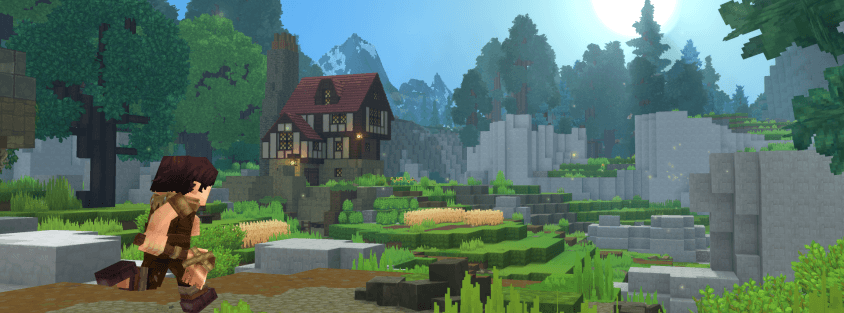
Hytale's default worlds are only half the game — the other half is the hundreds of community servers players have built since Early Access launched in January 2026. If you've only played solo or on your own world so far, here's exactly how to get onto a community server and what to check before you commit your time to one. Brand new to Hytale entirely? Our beginner's guide covers your first hours in Orbis before you ever touch a multiplayer connection screen.
Step 1: Find a Server Worth Joining
Before you touch a connection screen, the most important step is picking a server that's actually active and well-run. Random IPs shared in comments or old Discord messages are frequently offline, abandoned, or poorly moderated. A dedicated server list solves this by tracking servers in real time.
On the Hytale Top Servers list, every listing shows:
- Live online status — a green badge means our pinger successfully reached the server in the last cycle, so you know it's actually up before you try to connect.
- Current player count — updated continuously, so you can tell a thriving server from an empty one at a glance.
- Vote count — players vote every 12 hours for servers they enjoy, making it a solid crowdsourced signal of community quality.
- Tags — filter by Survival, PvP, SkyBlock, Creative, Roleplay, and more to find the game mode you actually want.
Browsing by tag and sorting by votes is the fastest way to find a server that matches what you're looking for and is likely to still be active next month.
Step 2: Check the Server Details Before Connecting
Once you've found a listing that looks promising, open its server page and check a few things:
- The analytics chart — a player count trending upward over time means an active, growing community. A flat or declining line is a warning sign.
- The description and rules — a server with a clear description and posted rules is generally better moderated than one with neither.
- A Discord link — if the server has one, join it first. A healthy, active Discord is one of the strongest signals a server is well-run and worth your time.
Step 3: Copy the Server IP
Every server listing on Hytale Top Servers displays the connection IP directly on its page. Copy it — you'll paste it into Hytale's multiplayer connection screen in the next step.
Step 4: Connect In-Game
From Hytale's main menu:
- Select Multiplayer.
- Choose Direct Connect (or the equivalent "add server" option).
- Paste the server IP you copied.
- Confirm and connect.
If the connection fails, double-check the IP was copied correctly and that the server's status badge still shows online — servers do occasionally restart for updates or maintenance. Still stuck? Our Hytale troubleshooting guide covers the common causes of connection errors, from firewall blocks to a mismatched Windows regional format.
Step 5: Read the Rules and Get Involved
Once you're in, most servers post their rules somewhere visible in-game or pin them in their Discord. Give them a quick read before you start building or trading — it saves confusion later and gets you in good standing with server staff from the start. From there, the fastest way to get settled is usually to say hello in the server's Discord and ask where new players typically start.
Step 6: Vote for Servers You Enjoy
If you end up enjoying a server, vote for it on its Hytale Top Servers listing. Voting takes a few seconds, resets every 12 hours, and directly helps the server rank higher and get discovered by other players — many server owners even reward regular voters with in-game perks, so check the listing for details.
The Bottom Line
Joining a Hytale server takes less than a minute once you have the IP — the real work is picking one that's actually active and matches what you want to play. Browse the full, live-updated server list on Hytale Top Servers, filter by tag, sort by votes, and find your community.
Running your own server instead? Check out our guide to starting a Hytale server and get it listed for free.